

Don't know wqhether this is possible but some computer nerd here might be able to help. When using FS Recorder it puts a message in the bottom right hand corner of the screen "Recording" and "Playback" depending on your selection.
Is there any way of getting rid of this as you can with the 'Brake Message' in FS i.e. SHOW_BRAKE_MESSAGE=0
Any advise would be extremely useful as then will not need cropping tools for video recordings.
Regards
Nigel.
Any Ideas on How to.....
Moderators: Guru's, The Ministry
Any Ideas on How to.....
I used to be an optimist but with age I am now a grumpy old pessimist.
-
Techy111
- Battle of Britain

- Posts: 3319
- Joined: 15 Aug 2007, 13:51
- Location: Coming out of Retirement.
Re: Any Ideas on How to.....
Pressing the OK button starts recording. If the Display recording option is checked in the
settings dialog, RECORDING will be displayed in the lower right corner during recording,
together with the number of recorded seconds.
To stop recording select Stop recording from the Recorder menu or press the key assigned to
Stop recording/playback in the keyboard controls dialog (default: ESC). When recording is
stopped either manually or automatically, and No recording dialogs is not enabled in the
settings dialog, a standard file selection dialog appears. Entering a file name and pressing the
Save button will save the flight to the file and stop recording. If you press the Cancel button,
you will be asked, if you want to continue recording. Choosing No discards all recorded data,
while Yes continues recording until you select Stop recording again.
Thats for recording Nigel....I think there is an option to remove the playback sign showing also....look on the settings page...
Tony
settings dialog, RECORDING will be displayed in the lower right corner during recording,
together with the number of recorded seconds.
To stop recording select Stop recording from the Recorder menu or press the key assigned to
Stop recording/playback in the keyboard controls dialog (default: ESC). When recording is
stopped either manually or automatically, and No recording dialogs is not enabled in the
settings dialog, a standard file selection dialog appears. Entering a file name and pressing the
Save button will save the flight to the file and stop recording. If you press the Cancel button,
you will be asked, if you want to continue recording. Choosing No discards all recorded data,
while Yes continues recording until you select Stop recording again.
Thats for recording Nigel....I think there is an option to remove the playback sign showing also....look on the settings page...
Tony
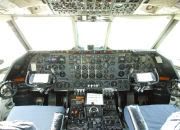
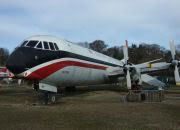
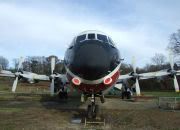
The last surviving and complete Vickers Vanguard....."Superb"
Re: Any Ideas on How to.....
 Thanks Tony, that did it!!
No recording or playback message now comes up......Now why did I not go to the set-up menu in the first place? Answer..... STUPID
Regards
Nigel.
I used to be an optimist but with age I am now a grumpy old pessimist.