VFR Gen X...

The place for hardware and software issues, FS and non-FS related

Moderators: Guru's, The Ministry

User avatar
Techy111
Battle of Britain
Battle of Britain
Posts: 3319
Joined: 15 Aug 2007, 13:51
Location: Coming out of Retirement.

VFR Gen X...

Post by Techy111 »

Just bought vols 1 and 2 Ver 2.0...just wondering what you guys have as your settings to get the best from this cracking addon....looking for Vol 3 if anyone has a spare copy... :worried:

Tony
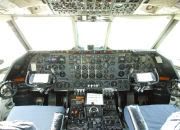
The last surviving and complete Vickers Vanguard....."Superb"
ImageImageImage

User avatar
DaveB
The Ministry
Posts: 30457
Joined: 17 Jun 2004, 20:46
Location: Pelsall, West Mids, UK
Contact:

Re: VFR Gen X...

Post by DaveB »

Hi Tony :)

I have v2 installed too and now have blocks of water around the coastline I never had with v1 but.. am I bovvered?? :lol: If you checkout the Horizon forums, I'm sure there's a note/post giving suggested/recommended settings. Alternatively, you should find em in the instructions ;)

ATB

DaveB B)smk
ImageImage
Old sailors never die.. they just smell that way!

User avatar
TSR2
The Ministry
Posts: 16759
Joined: 17 Jun 2004, 14:32
Location: North Tyneside, UK
Contact:

Re: VFR Gen X...

Post by TSR2 »

Hi Mate, there was so good info in the readme about settings, but TBH I run my setting for overall experience not just for the GenX stuff. I'd imagine with a rig like yours you should be able to run it with most settings at or near max. :)
Ben.:tunes:

ImageImageImage

ChrisHunt
Concorde
Concorde
Posts: 886
Joined: 28 Jun 2004, 20:21
Location: Suffolk

Re: VFR Gen X...

Post by ChrisHunt »

Tony, don't turn off autogen just because you can't see it. Turning autogen off only makes FSX performance worse not better (strange but true).

Regards,
Chris

User avatar
Techy111
Battle of Britain
Battle of Britain
Posts: 3319
Joined: 15 Aug 2007, 13:51
Location: Coming out of Retirement.

Re: VFR Gen X...

Post by Techy111 »

Cheers Chris....was wondering about that...just experiment with the slider..? The manual says to switch it off...?

Tony
The last surviving and complete Vickers Vanguard....."Superb"
ImageImageImage

ChrisHunt
Concorde
Concorde
Posts: 886
Joined: 28 Jun 2004, 20:21
Location: Suffolk

Re: VFR Gen X...

Post by ChrisHunt »

Tony,

This from a very long thread over on SimForums (the rest of the thread may be read here http://www.simforums.com/forums/forum_p ... ?TID=29041 :

"AUTOGEN #3:

FSX is strange when it comes to autogen simply because they have changed how it works 3 time now, from RTM to SP2

I can relay this advice:

One of the biggest mistakes people make is the thought that lower sliders = better perfomance. FSX is NOT a game, its a simulator and requires thinking a bit outside the box to tickle the hardware by the software settings and get it to run sweet

1. DO NOT use the autogen restriction lines in the configuration file for buildings and trees if you are using SP1/SP2. In most cases those lines will throw off the priority system and make the sim run/stutter worse.

2. Believe it or not, ZERO autogen slider can make frames drop, how? Same reason as above. Try to maintain at least 50+% (DENSE) however very slow systems may need to limit that to NORMAL/SPARCE or even OFF (off = rare must be very slow hardware)

Keeping the autogen slider at DENSE or greater actually tends to raise frames. Going too high for the installed hardware and Scenery Complexity/weather is where perf starts to really drop

Many can run a 3/4 (very Dense) Scenery Complexity with a 3/4 (very dense) autogen silder however your mileage may vary.

The important part about this slider is if your hardware is not very slow, keep it at a minimum of DENSE

This slider can also be changed mid-flight as well. There are times when you may fly out of a scenery friendly hub, into a very large urban area hub which may require this slider to be dropped a notch

Good systems can run 3/4 to 100% depending on the scenery involved and GEX USCAN can go a long way in helping with that performance. Autogen was laid out in a optimal way to reduce CPU overhead."


ChrisHunt
Concorde
Concorde
Posts: 886
Joined: 28 Jun 2004, 20:21
Location: Suffolk

Re: VFR Gen X...

Post by ChrisHunt »

Tony, for what it's worth I run autogen at dense and get few or no stutters, whereas previously and with the same system I used to get very frequent stutters with autogen set to off. My system is based around an overclocked Q6600 (o/c'd to 3.24Ghz) with 4Mb of 1066Mhz RAM and an NVidia 9800 GTX+.

It's always worth experimenting in any event.

Regards,
Chris

Jason32
Trident
Trident
Posts: 318
Joined: 20 Oct 2006, 14:38
Location: Willenhall, West Midlands, United Kingdom

Re: VFR Gen X...

Post by Jason32 »

Im trying to install Gen X to FSX but all the DVDs are not installing, all i get to is the setup screen, click on the FSX version to install then nothing, the setup screen disapears and nothing. *-)

Any ideas...ive posted on the Horizon forum but no posts back yet.
Image

User avatar
DaveG
The Gurus
Posts: 8091
Joined: 23 Jun 2004, 18:05
Location: in a deep, dark hole somewhere.
Contact:

Re: VFR Gen X...

Post by DaveG »

Some early versions had a dodgy installer. My volume 1 would install OK, but vols 2 & 3 wouldn't. There are updated installers on Horizons site, although they are for version 1 only, so if you've got version 2 it doesn't really help.
Dave G.

User avatar
Techy111
Battle of Britain
Battle of Britain
Posts: 3319
Joined: 15 Aug 2007, 13:51
Location: Coming out of Retirement.

Re: VFR Gen X...

Post by Techy111 »

Might also be a problem with your DVD reader...happened in the past to me with most things i tried to install...???

Any more problems or if you don't have any luck send the discs back and ask for fresh ones maybe...?

Tony
The last surviving and complete Vickers Vanguard....."Superb"
ImageImageImage

Post Reply