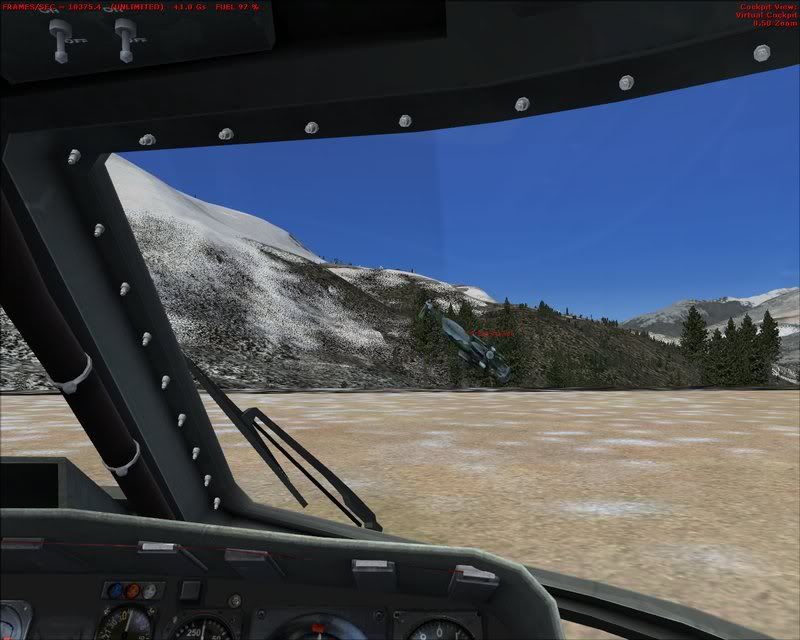
I was taking some general Traffic pictures today around the Glacier Bay area and I left the frame rate counter visible to see how things varied in differing locations. No need for captions on these but I think the frame rates obtained are interesting. All aircraft shown are Traffic in and out of McLeland Field. The drivers used for these shots are the Nvidia 181.20 set with Nhancer doing the adjustments.
The other shots can be seen by clicking this address:-
after photgraphing a multiflight with a fellow simmer he noticed the frame rate i had displayed. similar to yourself peter. fsx did throw up a curved ball on this one.
try not to notice larry trying to land his helicopter in the distance.
I believe thats the De-air and Dig in maneuver
man :doho: --uuv--- :think: eer. ...crashed
Peter thats moving along
I noticed one of the 748 pics ( 7th) has the illusion it's setting on the grass behind the buildings
making it look several times the size of the terminal......... like Airbus built a version of it... or something
airboatr wrote:I believe thats the De-air and Dig in maneuver
man :doho: --uuv--- :think: eer. ...crashed
Peter thats moving along
I noticed one of the 748 pics ( 7th) has the illusion it's setting on the grass behind the buildings
making it look several times the size of the terminal......... like Airbus built a version of it... or something
UUUge
But it's accually landing
Yes...Looking at that I can see the illusion...It needed the aircraft shadow to be visible, as in the next shot.
Well I'm very pleased with the frame rates with this driver and settings, but I notice that with a change of view the textures are a little slow to fill compared with my previous driver...I wonder if I can find an Nhancer setting to improve that :think:
I have also noticed that there's a distinct slow down on some textures filling as well with these drivers. Particularly apparent on some cloud formations.
I have also noticed that there's a distinct slow down on some textures filling as well with these drivers. Particularly apparent on some cloud formations
Don't know whether this may help but I set my clouds to medium, OK may not be the best visual result but found that frame rates improve especially where there is a build up of scenery.
Also have the same card and driver as Peter.
Late edit: Sorry Peter, mean't to say how much I liked those screenshots, as for Larrys' landing.....was he practising a new hedge cutting technique?
Regards
Nigel.
I used to be an optimist but with age I am now a grumpy old pessimist.
Strangely, I don't notice anything significant on complex clouds, but if I have them set to medium, the 'drawing' is noticeable particularly on clods in the distance that form a line - you can see the filling going on... doesn't slow anything down, it's just you see it infilling