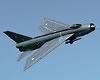

QinetiQ Hawk XX341

Links to Classic British Flightsim themed images only please.
Please post in jpg or png format and no bigger than 1024 x 768

Moderators: Guru's, The Ministry

User avatar
Tweek
Concorde
Concorde
Posts: 806
Joined: 22 Jan 2006, 20:46
Location: Leicester

QinetiQ Hawk XX341

Post by Tweek »

A couple of hours work, here:

Image

I'm just looking for more reference photos right now. I've got this one but I'll need something of the other side of the aircraft to complete it.

Also, a question about DDS and alpha channels. There's obviously an alpha channel applied, as the paint is glossy in the sim, but I seem to remember that with my Sptifire repaint, the alpha channel was apparently flipped. This is only the second time I've worked with DDS, so I'm not exactly sure how to apply the alphas (the actual method of doing so, and whether they should be flipped vertically or not before hand).

I welcome any criticism with the current paint too, as I'm pretty much done on that side of the fuselage.

User avatar
TSR2
The Ministry
Posts: 16759
Joined: 17 Jun 2004, 14:32
Location: North Tyneside, UK
Contact:

Re: QinetiQ Hawk XX341

Post by TSR2 »

Looks bloody good to me mate. :thumbsup:
Ben.:tunes:

ImageImageImage

User avatar
Tweek
Concorde
Concorde
Posts: 806
Joined: 22 Jan 2006, 20:46
Location: Leicester

Re: QinetiQ Hawk XX341

Post by Tweek »

Thanks Ben! :)

Anyone out there with the alpha advice, or more reference pics? Pretty please...

User avatar
Rick Piper
The Gurus
Posts: 4776
Joined: 18 Jun 2004, 17:20
Location: In front of screen learning 3ds max :/ ...............Done it :)

Re: QinetiQ Hawk XX341

Post by Rick Piper »

Hi Tweek

are you using the paintkit as it sounds like your not ????

if you use the existing DDS you will lose a lot of quality every time you save.

every dds should be new from the Paintkit templates.

i need more info in what programs you are using as they all differ in how to apply the alpha channel.

Regards
Rick

User avatar
Tweek
Concorde
Concorde
Posts: 806
Joined: 22 Jan 2006, 20:46
Location: Leicester

Re: QinetiQ Hawk XX341

Post by Tweek »

I am using the paint kit, Rick, don't you worry. ;-) Apart from the quality, it obviously cuts out a lot of hassle!

And the program I'm using is Photoshop 7.0, which exports DDSs through an 'Nvidia dds Format v8.23' dialog. I've also got DXTBmp, but I presume that only works for bitmaps... as in the name...

User avatar
Rick Piper
The Gurus
Posts: 4776
Joined: 18 Jun 2004, 17:20
Location: In front of screen learning 3ds max :/ ...............Done it :)

Re: QinetiQ Hawk XX341

Post by Rick Piper »

Hi Tweek

you should just save my bmp alpha channel as a jpg then import it as a new layer into the psd file then call that layer "Alpha 1".

I do have photoshop but have to keep the alpha channel seperate for Paintshop Pro users.

I am not a photoshop fan as it has such a clunky interface for me.

Regards
Rick

User avatar
Tweek
Concorde
Concorde
Posts: 806
Joined: 22 Jan 2006, 20:46
Location: Leicester

Re: QinetiQ Hawk XX341

Post by Tweek »

Righto, I'll give that a try. Thanks. :)

User avatar
Tweek
Concorde
Concorde
Posts: 806
Joined: 22 Jan 2006, 20:46
Location: Leicester

Re: QinetiQ Hawk XX341

Post by Tweek »

I've sent you a PM about this, Ben. Not sure if you've recieved/noticed it, so just giving you a heads up in here. ;-)

User avatar
TSR2
The Ministry
Posts: 16759
Joined: 17 Jun 2004, 14:32
Location: North Tyneside, UK
Contact:

Re: QinetiQ Hawk XX341

Post by TSR2 »

Hi Tweek... no PM's here mate. Have you gone over your quota? they won't send unless you keep your inbox and sent items below 200... either that or its disapeared into the either. :dunno:
Ben.:tunes:

ImageImageImage

User avatar
Tweek
Concorde
Concorde
Posts: 806
Joined: 22 Jan 2006, 20:46
Location: Leicester

Re: QinetiQ Hawk XX341

Post by Tweek »

Available now at AVSIM, hawk_xx341_skysim.zip. :thumbsup:

Should be available at the Pond soon enough, too.

Post Reply


