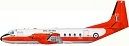
Although the RAF aircarft were like that seen at the beginning they were converted to Dove 8 standard .
:-( Pity, would have liked one in RAF colours but having said that, only realism will do for me so........If Derek has some time on his hands....... :roll:
Regards
Nigel.
I used to be an optimist but with age I am now a grumpy old pessimist.
Yeh, I hope Del will be doing a bumpy cockpit version, he did say he would...(originally!) Then we could enjoy the difinitive RAF livery. (I'm not so keen on this early version.)
As for the RAF Devon shown - it's the one from Del's original package
The originals weren't as jagged as the pics show, antialiasing was on in the original. Must be the compression to 800 x 600 that did it. As for the RAF Devon shown - it's the one from Del's original package, I've not touched it.
My guess is Degsy is right about the compression. A lot of photo uploading sites offer compression to preset dimensions for forums etc, and sometimes the compression is poor. If you have software like Photoshop, I would re-size your pics in there and save for web before uploading - you should notice better results.
Yes that is true...a picture will ALWAYS show jaggies unless it is displayed at 100% of its size...The secret is to resize to the number of pixels that you wish it to display at (say 800 or 900 width) and then save it as a JPEG file with suitable compression to get the file size practical for the purpose (say 100 to 200 KBs to display here). This procedure will ensure a smooth picture without jaggies. I have even done this on my website to prevent the small initially displayed picture from having compression jaggies. In this case I have replaced the smaller pictures generated by WebEasy for display on my site with resized versions in the same size as those displayed...Of course the bigger version that comes up if you click on a picture is at 100% anyway so will have no jaggies...It is the smaller ones that I have "treated". If you want to glance at what I mean, just click on my site (below my signature banner) and glance at a few pages...note the lack of jaggies in the small versions of the pictures displayed on the pages.
I uses a blank 800 X 600 pic
When I take screen shots I zoom out a little take the pic then call the shot into my blank. That way I am using a smaller section of a bigger screen shot so there is no need to reduce and it is sharp
I can slide the image round to get the framing just right and change the size slightly if needed but the end result is what you see on the screen...a pic at the correct size already.
Garry
Garry
"In the world of virtual reality things are not always what they seem."