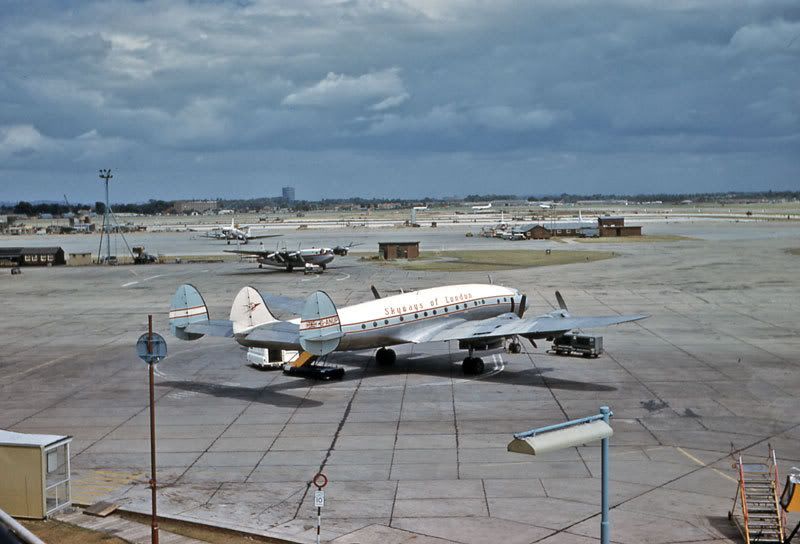
cstorey wrote:wonderful photos - really capture the atmosphere... What scanner do you use to scan the slides ( assuming that is what they are) , and what do you use to clean them first please?
Hi Chris,
I'm glad you're enjoying the slides - rest assured there's plenty more to come.
I'm using an old Epson Perfection 2400 flatbed scanner with an Epson Film Adaptor lid and Epson Scan 2.65A scanning software. The replacement lid contains the overhead light source necessary for scanning slides on a flatbed and also a mask which allows me to scan 4 slides at a time directly into Photoshop. I enlarge the output using the Epson Scan software by about 400% to give me a decent size to wok with and then reduce them to the required 800 px wide before uploading to the forum. Although a dedicated film scanner would, I'm sure, give better results, with the restrictions on size for the forum, the Perfection 2400 is adequate.
As they're not mine, the only cleaning I do on these slides is surface dust removal for which I use a large artist's paint brush which is just soft enough to avoid damage to the emulsion but stiff enough to be effective. It's a Crimson and Blake 12, filched from my wife's brush collection to be exact.
Once they're in Photoshop, I resist any temptation to crop or otherwise manipulate them. All I do is attempt to match the scan to the original colours and exposure of the slide - both of which are often lost or altered during the scanning process. Occasionally, if the colours on a slide are badly faded, I let Photoshop loose to try to restore the colours but, generally, I try to present these slides "as-is".
Pete






 I suffer from paranoid amnesia. I can't remember who I don't trust.
 Complete with York in the backgound, too.