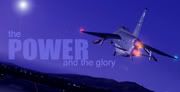
Delta Jets!

Links to Classic British Flightsim themed images only please.
Please post in jpg or png format and no bigger than 1024 x 768

Moderators: Guru's, The Ministry

Post Reply
buff
Viscount
Viscount
Posts: 106
Joined: 09 Sep 2005, 23:37
Location: Edinburgh, Scotland, UK

Delta Jets!

Post by buff »

Hello!!

My first post here in a while, (Dont worry I've not abandoned you all) I rarely post on forums, I've just been lurking around here looking at various topics and CBFSIM has plenty of those!!!!, so thats what I've been doing!

ANYWAY.....

I've been experimenting with my new toy: FS RECORDER...

I love it, so I thought I would give the Delta Jets formation a try with Dave's Hunter T7 and Simshed's Gnat T1,

So Here it is: (its not great but I am quite pleased with this shot!!)

Image


P.S: Could anyone give me tips on how to make my screenshots look better??, :wink:

Cheers! :smile:
BOEING..........Turning lemons into lemonade since 1916
Image

User avatar
John
Concorde
Concorde
Posts: 1751
Joined: 30 Jul 2004, 14:13
Location: Emsworth, Hampshire
Contact:

Post by John »

Great subject for a shot.

What anti-aliasing settings are you running?

There's always the old trick of shooting 30 minutes after dawn and 30 mins before sunset :wink:

Kind regards

John

Ps you'll get lots of hints and tips here...
http://www.screenshotart.com/
never give up, never surrender

Image

User avatar
TobyV
Vintage Pair
Vintage Pair
Posts: 2866
Joined: 26 Jun 2004, 20:41
Location: Halfway up a hill

Post by TobyV »

John wrote:There's always the old trick of shooting 30 minutes after dawn and 30 mins before sunset :wink:
..in which respect its a lot like real photography :wink:

User avatar
Sl4yer
Trident
Trident
Posts: 337
Joined: 24 Mar 2005, 17:21
Location: England

Re: Delta Jets!

Post by Sl4yer »

buff wrote:P.S: Could anyone give me tips on how to make my screenshots look better??, :wink:
Make sure you resize them BEFORE uploading them to your host. Also, use IrfanView (as recommended by someone on here) to resample them too - this helps cut out the jagged edges:

Image
Resized only

Image
Resized and resampled

I'm going to check out FS Recorder now!

Cheers,

James

User avatar
John
Concorde
Concorde
Posts: 1751
Joined: 30 Jul 2004, 14:13
Location: Emsworth, Hampshire
Contact:

Post by John »

If you want to start editing your shots, there's a great freeware programme out there...

http://www.gimp.org/

It'll even get rid of the jaggies :wink:

Image

Kind regards

John
never give up, never surrender

Image

buff
Viscount
Viscount
Posts: 106
Joined: 09 Sep 2005, 23:37
Location: Edinburgh, Scotland, UK

Post by buff »

Cheers Guy's!!!

As for the ant-aliaising, well its just FS's default one??
BOEING..........Turning lemons into lemonade since 1916
Image

User avatar
Garry Russell
The Ministry
Posts: 27180
Joined: 29 Jan 2005, 00:53
Location: On the other side of the wall

Post by Garry Russell »

Hi Buff

Best turn AA off in FS and on in your graphics card settings

Garry
Garry

Image

"In the world of virtual reality things are not always what they seem."

buff
Viscount
Viscount
Posts: 106
Joined: 09 Sep 2005, 23:37
Location: Edinburgh, Scotland, UK

Post by buff »

How Do i access my graphics card settings???

(Sorry im crap with computers :redface: )
BOEING..........Turning lemons into lemonade since 1916
Image

User avatar
Garry Russell
The Ministry
Posts: 27180
Joined: 29 Jan 2005, 00:53
Location: On the other side of the wall

Post by Garry Russell »

Hi Buff

Right click on the desktop got to properties and you should be able to follow through from there :smile:

Garry
Garry

Image

"In the world of virtual reality things are not always what they seem."

buff
Viscount
Viscount
Posts: 106
Joined: 09 Sep 2005, 23:37
Location: Edinburgh, Scotland, UK

Post by buff »

Cheers Gaz! :wink:
BOEING..........Turning lemons into lemonade since 1916
Image

Post Reply